Search This Blog

Monday, December 5, 2016

GameGuru games to watch out for.

Game-Guru is fairly synonymous on steam as being a source of 'total abject shit' games.  And I don't say this lightly as someone who's a frequent user of it.

This isn't really a bad thing, it's more a predictable thing - primarily because the game engine is marketed towards and genuinely appeals towards the extremely casual novice game maker.  You unfortunately end up with a lot of this:

And for some reason this guy thought to 'improve' the stock 3d rifle with a static 2d image set.

And that's just not good for your reputation, despite the fact that it's really easy for even a total neophyte to make a game with.

There are, however, some very skilled Game-Guru game makers.  People who use it both professionally and casually but have a well of experience that make their products and offerings worth looking at or keeping an eye out for.  Some of these projects are completed.  Some are in progress.  Bottom line is they make a good baseline for what kind of work you want to emulate if you're going to create and try to be successful, legitimately, with Game-Guru.

1) Ertlov's "Father's Island"


This is probably the most commercially successful game made for Game Guru as of the time of this writing.  It's a strange game with a lot of interesting elements.   Basically a puzzle thriller with some interesting secondary elements and a lot of personally done acting done by the creator (Ertlov).  It's been critically reviewed in Austria and has a small, loyal following.  The graphics are well done, the lighting superb.  The impression I get is it's mostly stock assets too, which is even more impressive.


2) Wolf's "Acythian" and "Shavra" games.
Wolf is well known in the Game Guru Community as a unique artist and freethinker with an eye for dramatic lighting in his games.   He's got two separate projects on the table:


The above is Shavra - Renaissance .  It's a high-fantasy adventure with tons of custom assets.  The scenery is gorgeous and should stretch the limits of the engine's power.  I love the tapestries and imagery.  His custom characters are pretty impressive too. Check out the progress thread here: https://forum.game-guru.com/thread/209529

His other game, of comparable quality, is a Sci-Fi thriller called Acythian.  It's right up my alley with well paced action, a gritty futuristic vista, and fast action.


This game, in my opinion, is probably as close to AAA quality as you'll see from Game-Guru. You can find out more here: https://forum.game-guru.com/thread/211124


3) Bugsy's Kshatryia File 002
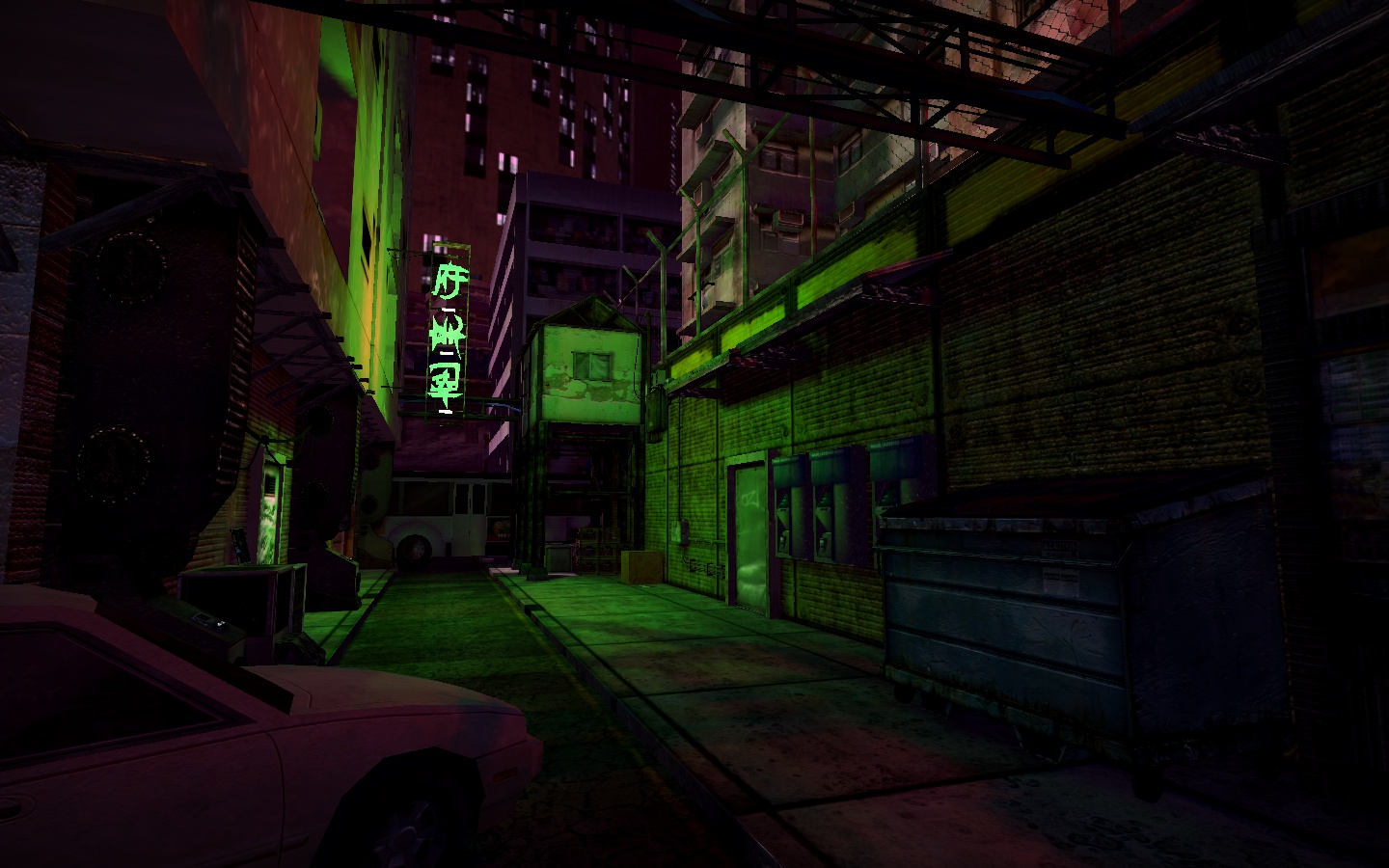
It was incredibly hard to pick a scene for this game, too many good choices.
This is another really gritty cyberpunk style game, though it's far more in the vein of blade runner or more specifically Ghost in the Shell.  It's not done yet but my only complaint about it is that it will only be three levels.  You can, however, pick up most of his objects on the store if you want to build similar levels.  That said, what's available here should be complete very soon.  Once it's done, you will likely want a copy if for no other reason than to try to learn a few things from it.

Forum thread: https://forum.game-guru.com/thread/216319

4) Savior v3
Savior's been in progress for a very long time.  So far, however, the results are promising.  It seems Tarkus runs into the same issues I do with life actually eating up available free time.

The positioning of the clutter items shows a fine degree of care and thought.
This is one of those games that just OOZES perfection.  He's obviously taking his time trying to make sure that this is exactly how he wants it to be, something I can respect given my own slow development tendencies.

On a side note, I made a custom sky for Tarkus and I'm hoping it finds its way into his game.  We'll see soon enough I suppose!

This is where you can learn more and see a huge volume of additional pictures: https://forum.game-guru.com/thread/213859

5) Hunted: One Step Too far

Ok I wasn't going to include this one, but I have to admit it's promising.  He's taken a pretty basic concept (alone in the woods but not really) and made it into a very compelling visual thriller with a good combination of eye candy and suspense.   He's smartly using the dark to hide the flaws in Game Guru and as such it looks and acts very clean.


His only problem (and he's aware of this) are the mountains are a little bland.  I pointed him at my tutorial on building good mountains in Game Guru so hopefully he'll be able to bring that up to a level he's more satisfied with.  Overall though, a good looking game and also being greenlit on steam.  Nicely done!


The full details can be found here: https://forum.game-guru.com/thread/216110


There are a few really superb ones I haven't seen get off the ground yet or seem stalled in their development as well:


Pretty much considered the high water mark.  Huge expectations here, but development seems DOA at this point.


Interestingly this game has a similar style as MLAW but that's not a bad thing.  The game looks good but I think the dev gave up and moved on.

My own project


I should mention that I hold myself to the same standards that I hold others to.  It's part of the reason my process is so excruciatingly long and torturous.  I take every scene and evaluate it against what I want, feel, and try to maintain a reasonable performance to boot.  It's difficult, at best, using this engine.  What you see is a very early work in progress.  I hope one day, it'll be more nearly what I consider acceptable.   This scene lacks clutter objects.  That object behind the glass is a ship.  A single, massive ship.  I'm looking forward to bringing this project to fruition.

Hopefully you'll take some hard looks at my blog and see some good lessons to draw from in developing your own projects.  I truly hope to raise the level of everyone's game development and now with 1.33 available, we might have a real door opening towards a brighter future with this engine.

Wednesday, November 30, 2016

Updates coming in GG 1.33, big stuff

So personally I believe this should be a major version update.  However...

Lee recently did a twitch broadcast going over the changes coming in '1.33'.  There's a lot of things being added.

Here's a summary of relevant things:
  • Individual object specularity :O  .. now you can set it on a per-item basis which is a huge boost for maintaining a good looking level while providing 'metallic' entities.
  • 5 sounds per dynamic object.  This is pretty huge of a boost from 2.
  • A shader for skies!  Wow.. I think this is going to take some work to figure out but that'll really boost sky visuals.
  • Lots of LUA commands, including weapon commands- which opens up upgrade-able weapons and variations in stock weaponry without making a whole new weapon.
  • Improved pathfinding for AI (this is a big deal).
  • Legacy terrain generator.  There was a great RNG terrain maker which was removed.. the new one was trash.  The old one has been re added and is brilliant.  He even lowered the height (a major issue previously) so the water level is right there.  That helps a lot.

Wow.
Looks good.  I'm interested in seeing this finally show up.
You can find the twitch broadcast here: https://www.youtube.com/watch?v=Qa01SdlKXho

Thursday, November 17, 2016

Old dog, old tricks

I find myself in a weird spot with my 'development' of games.  I'm in that familiar place where I don't learn anything new, don't do anything new, and generally let my projects languish.

I'm in a rut.

It's happened before, many times over.  Part of indy gamedev is that it's really daunting.  Usually you're flying solo on a project.  You have to be orchestra, band, stadium, and instrument-maker.  Or in this case:
  • Coder - LUA script is easy but I'm rusty AF.
  • Modeller - my 3d modelling skills are .. minimal at best.
  • Artist - I'm a terrible artist
  • Designer - My designs are so-so.
So I have a LOT of hurtles to overcome.   My biggest ability on this list has always been scripting/coding but I find myself unable to dedicate the time to make the code I want to make.  The CPU cycles required for coding are a lot higher than say 'dreaming of art pieces'.  At least for me, your miles will inevitably vary.

Tools help a lot.  I use a number of free or cheap programs:
  • notepad++ for coding/scripting/note taking
  • blender for modelling (admittedly I hate blender, it's a ****ing nightmare of hotkeys)
  • drawing/art  I use paint.net
  • and for design I use Game Guru or s2engine.

As such though I find myself wanting in a lot of respects and decide to try to learn things that other people take for granted.  I've happily learned how to do alpha masking, transparencies, and now I can even weather a texture.

It's a pet peeve of mine that so many models I buy/own/obtain look pristine.  To me, in any game, it's going to be incredibly rare to see a perfectly painted model.   The more gritty and grimy - the more realistic it gets.

It's a simple enough technique to do.  First you need the alpha mask plugin for paint.net.

After you have that plugin you open your texture file.
For this example I'm using a free steel seamless texture.
Here's the original:
Not bad, but let's make it look really old.
The above texture is to some extent pre-weathered but I want to really add a layer of decay to it.

First you open the file in paint.net.  Then you want to CTRL-A (Select all) then CTRL-C (copy).

Go to the edit menu and choose 'paste as new layer'.

At this point we're just using the paste as a guideline for size and position.  This is more useful if you are using like a rectangular copy tool or something but *Shrug*... this is an example after all.  Then simply render clouds over it, use the alpha mask tool, and merge the layer down.  There's a bit more than that - you can find tons of examples everywhere if you google for 'weathering a texture in paint.net'.  But the end result looks like this:

Not great, but not bad either.
I use this technique for touching up some of the models I work on so they look more .. real.

You can also add color by simply modifying the levels slider on the cloud layer before alpha masking/merging layers and getting something like this:

Now with a nice rust color!
The negative of using this particular method is you run into errors with the seamless wrapping so usually I'll do a cutout of an area instead and just work over that.  The basic principle is the same.  Use the lasso to copy an area.  Paste it into a new layer.  Use clouds to generate fractal-style art on it.  Transparency it, then merge it down.
I'm not going to win any art awards, am I?

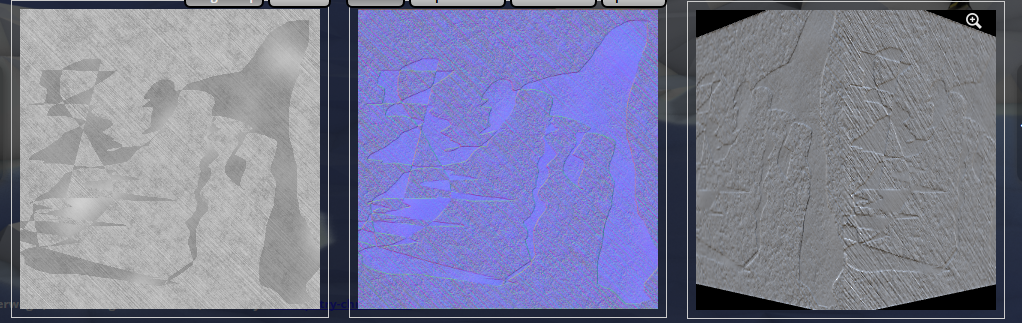
While it looks ... cruddy ... like this once you add normal maps and what not it tends to really improve the quality of it's 3d appearance.  Example:

Or even the 'rusty' texture can look good when UV mapped over a non-repeating surface:


Little things like this are how I keep myself entertained and skills from diminishing.  I'm an old dog, learning other people's old tricks.  At least though they're new to me and that keeps me satisfied.


Wednesday, November 2, 2016

Some examples on Reshade

Per my forum post here:
https://forum.game-guru.com/thread/216552#msg2561654

Some convincing for other members of the community was needed.  So I enabled ReShade's optional 'split screen mode' on one of my sitting in stasis levels and you can see the difference.  On the left is the ReShade enhanced version (only setting changed from default is HDR to 16 from 8).  On the right is GG default.

It's like someone smudged one lens of a pair of glasses, right?

 So I really like the wall textures coming through better.  Some of the freebie stuff I used was fairly low quality to begin with and it's pretty impressive how much better it looks when getting sharpened up by ReShade.


One of my favorite rooms really did a fantastic job of being improved by RS.

Here's an example of a low quality model's bump map improving drastically:
Now if only I could get rid of the lighting artifacts.
And an even more dramatic comparison of a stock asset GG barrel:

Right side is "eh, not bad."  Left side is "Wow, that's pretty decent."

And lastly I bring the final example - 'The EAI potato chip bag'.  So EAI is a fantastic artist; he's made some of the best stuff available in GG and I use it as often as I can find a place for it.

What you'll see is the full picture, then a blowup comparison.  I think you'll get the idea and I can at that point rest my case.
Here's the potato chips as show unfiltered with a raw GG setting:


And here's the chips after:


Let me show you up close what this difference is:
A minor difference, to be sure, but worth it to me.
I'm what you'd call a 'min/maxxer'.  I believe the little things matter.  And these are little things to be sure.  In my eyes though when using an engine as dated as the GG engine that's so underwhelmingly powerful - this is one way to help level the odds.  Your miles may vary.